Ride with Lyft
Age Requirement
Customers under the age of 18 cannot use Lyft through Access-on-Demand. Customers must be 18 years of age or older to select Lyft as their Access-on-Demand provider.
Vehicle Types
Please note that the only Lyft vehicle types that work with Access-on-Demand are Standard, Priority Pickup, Wait & Save, XL, and XXL.
Lyft does not provide Wheelchair Accessible Vehicles (WAVs) through Access-on-Demand
Getting Started
Before Your First Ride
Get Set Up with Lyft
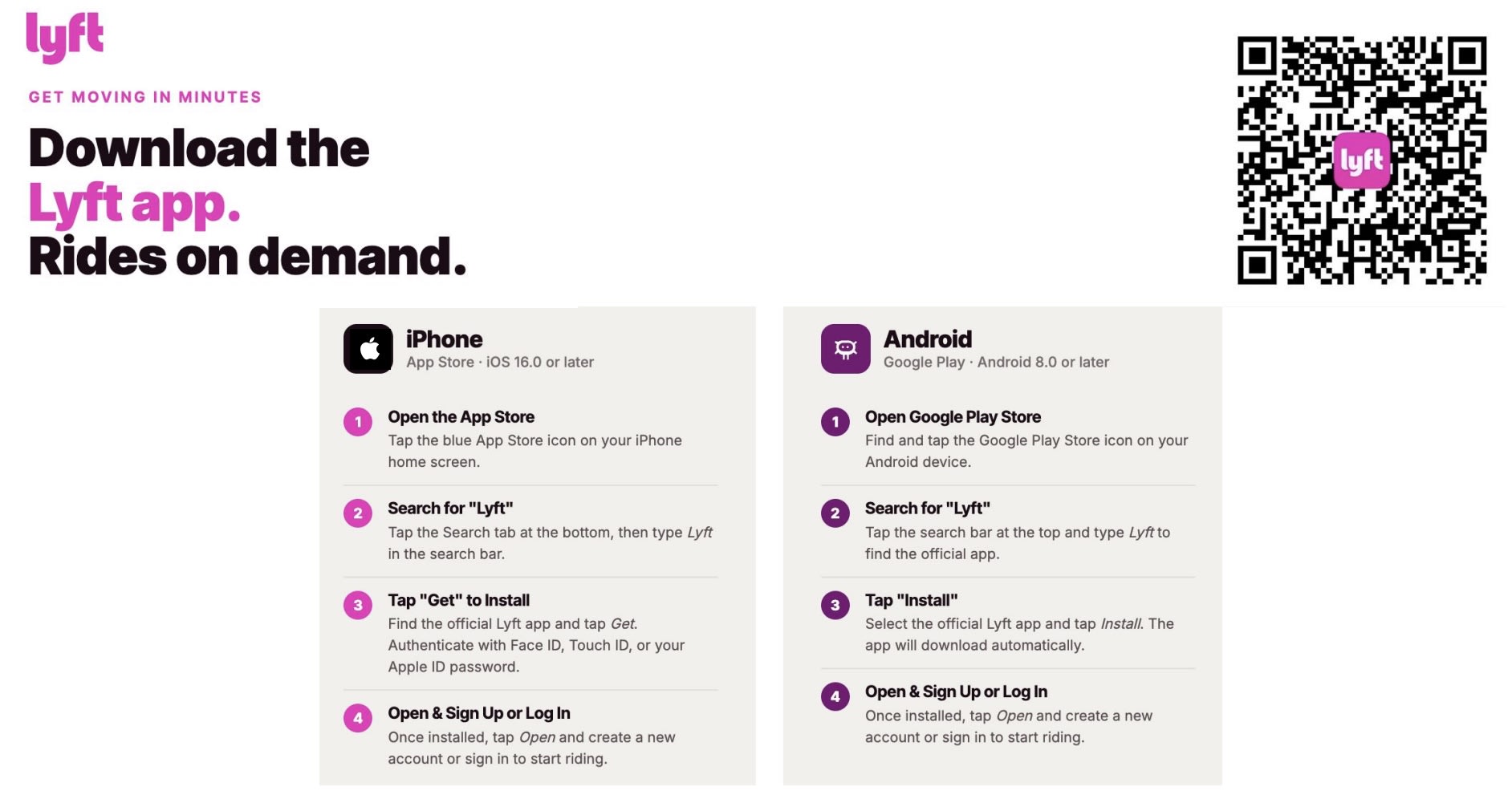
- Download the Lyft app (App Store or Google Play)
- Create an account or log in
- Make sure your phone number matches what you provided to RTD
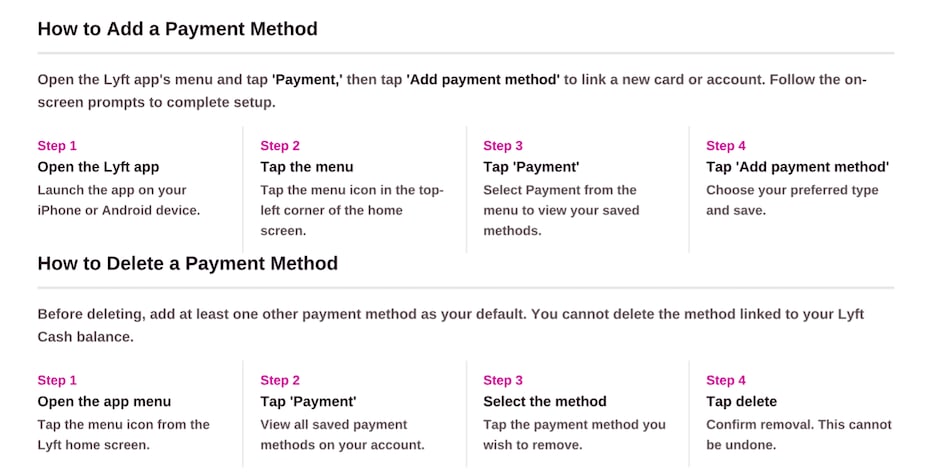
- Add a payment method
- RTD will send your Lyft Pass to your account
Accept Your Lyft Pass
- If you already have a Lyft account, your Lyft Pass will apply automatically
- If you do not have an account, follow the email or text to sign up
- Once set up correctly, your pass will be ready to use
- The pass only works if your Lyft account uses the same name, phone number, and email from your AOD form.
Booking A Ride
Booking A Ride
How to Request Ride
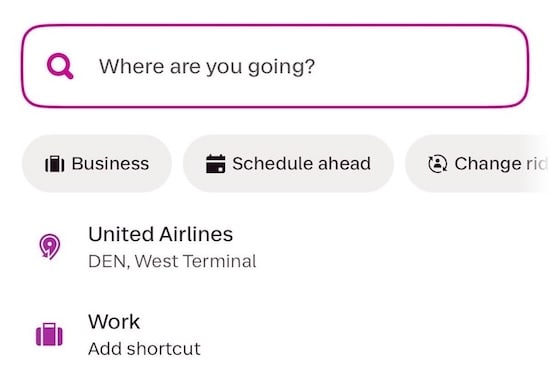
- Step 1: Enter Your Trip
- Open the Lyft app
- Tap “Where are you going?”
- Enter your destination
- Confirm your pickup location
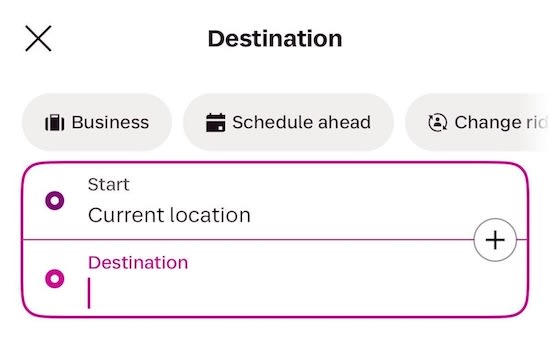
Step 2: Choose Your Ride
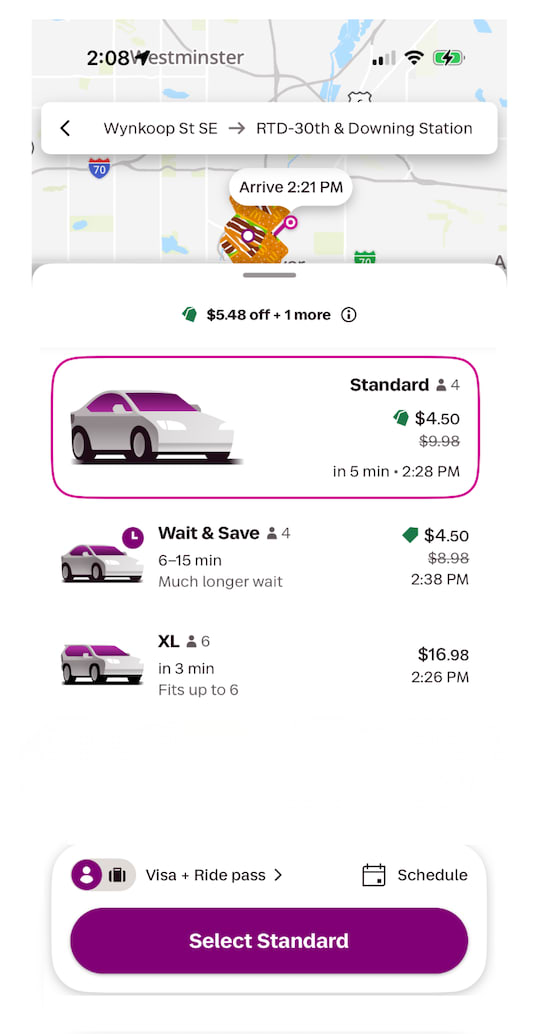
- Review ride options
- You may only select Standard, Priority Pickup, Wait & Save, XL and XXL. Choosing any other ride type will cause your Lyft Pass to not work.
- Select your ride type
- Make sure the screen shows your reduced fare (example: $4.50)
- Make sure it shows Ride Pass / Promo applied
- If not, you may be charged full price
- Tap “Select [Ride Type]”
- Tap Confirm and Request
Step 3: During Your Ride
- Track your driver in the app
- Confirm the driver and vehicle before entering
- Follow your trip in real time
Step 4. After Your Ride (Check Payment)
- After your ride ends, open your receipt
- Tap the “i” (info) icon
- Review what you paid
- Review what RTD covered
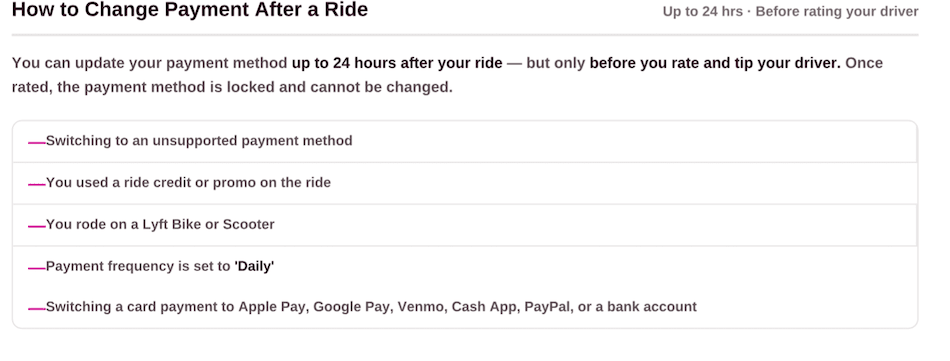
How to Turn off Lyft Pass
- Use this option if you want to turn off Lyft Pass for the trip taken
Pricing
Pricing
LYFT PRICING STRUCTURE
Initial Fare + RTD $20 Subsidy = Variable Lyft Rate
- Standard Fare: $4.50 per trip, before the RTD subsidy applies
- LiVE Fare: $2.25 per trip, before the RTD subsidy applies
- Ages 18–19: Initial fare is waived. RTD covers up to the first $20 of the eligible trip cost.
- Under 18: Not eligible to use Lyft through Access-on-Demand.
Lyft trip prices vary based on factors such as trip distance, estimated travel time, driver availability, and demand. The estimated amount the customer will pay is displayed in the Lyft app before the ride is confirmed.
SURGE / HIGH-DEMAND PRICING
Lyft uses variable pricing, which means trip prices may increase during periods of high demand or limited driver availability.
The RTD subsidy remains up to $20 even when Lyft's trip price increases. Any eligible trip cost above the subsidy is the customer's responsibility.
During periods of surge pricing, we recommend waiting 10–15 minutes before requesting your ride, as fares may decrease once demand has lowered.
Customers should always review the estimated price displayed in the Lyft app before confirming their ride.
TIPPING
Tips are optional and are not covered by the RTD subsidy.
If a customer chooses to tip their Lyft driver, the full amount of the tip is the customer's responsibility and will be charged to the customer's payment method.
IMPORTANT PRICING INFORMATION
Lyft prices can fluctuate. The price for the same trip may be different depending on the time of day, demand, driver availability, trip distance, and other factors used by Lyft to calculate the fare.
The price displayed when requesting a ride should be reviewed before booking, especially during periods of high demand.
Good to Know
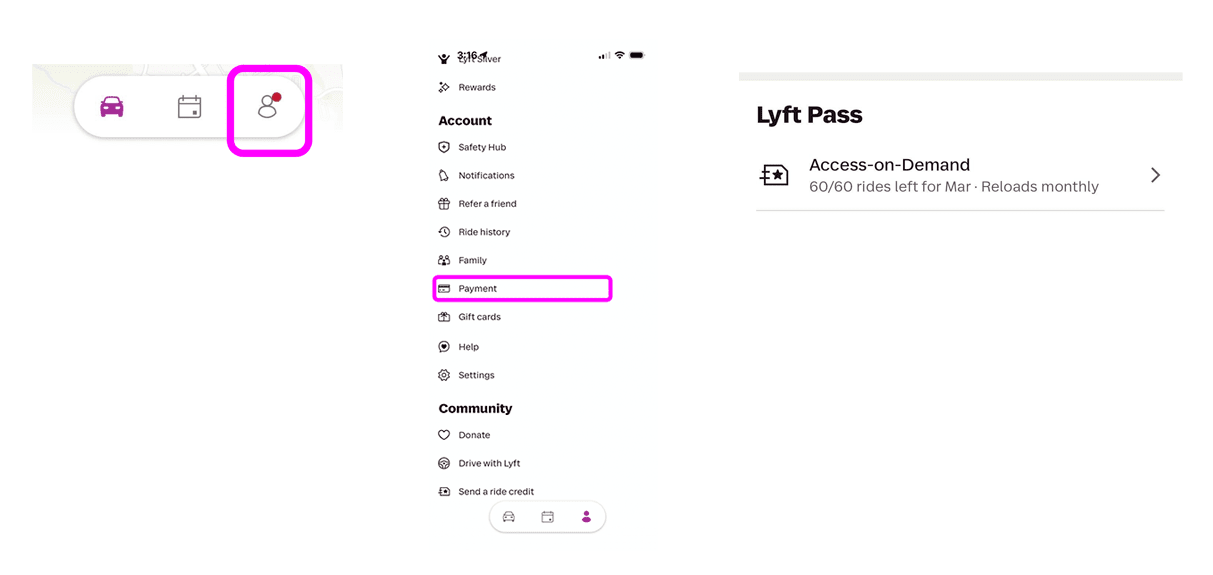
How to Check Lyft Pass Balance
How to Check Lyft Pass Balance
- Tap the person icon (bottom right)
- Tap Payment
- Scroll to Lyft Pass
- Tap to view remaining rides and details
How to Get Help
How to Get Help
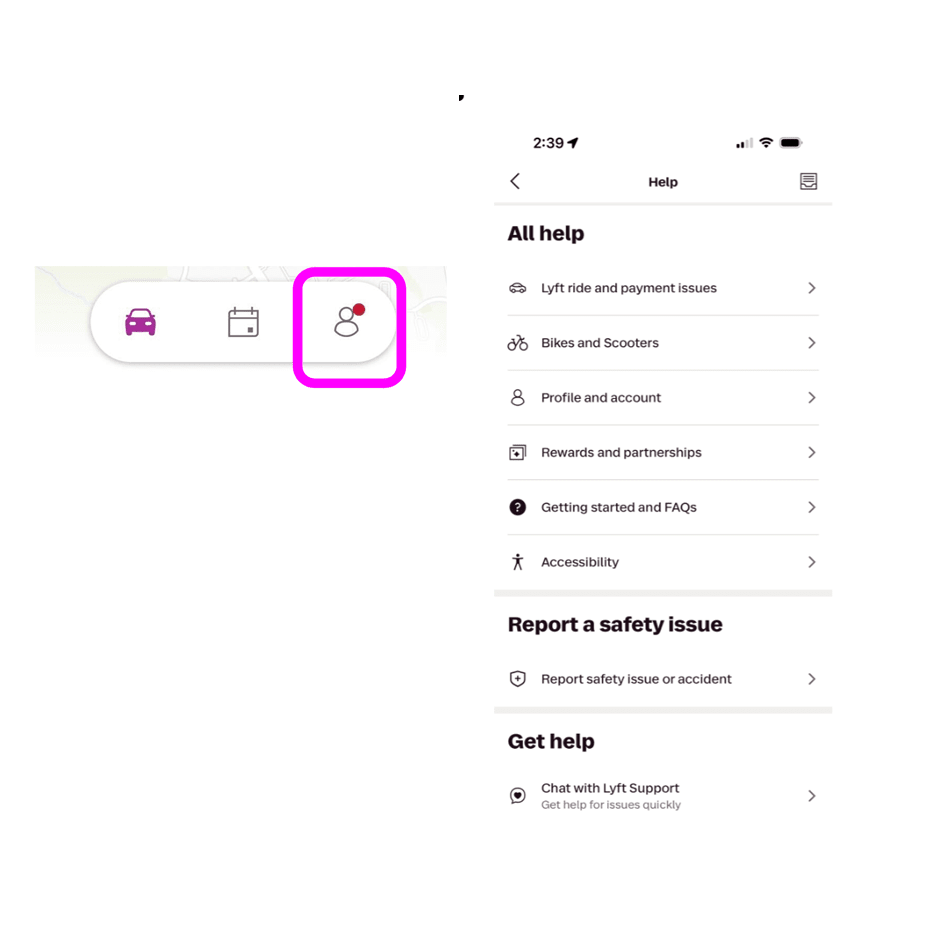
- Tap the person icon (bottom right)
- Tap Help
- Select your issue
- Visit help.lyft.com
- Service Animal Hotline: 1-844-554-1297